KPN Open Innovation Hub:
Mobile Connect
I had the opportunity to work on the Mobile Connect project AT KPN Open Innovation Hub. My primary task was to develop a clickable demo prototype intended to show prospective business clients how they could utilize this innovative service.
Teams
UX Designer (myself)
Growth Hacker
Business Developer & Innovation Consultant Mobile Identity
Tools
- Balemiq
- Sketch
Duration
6 Weeks
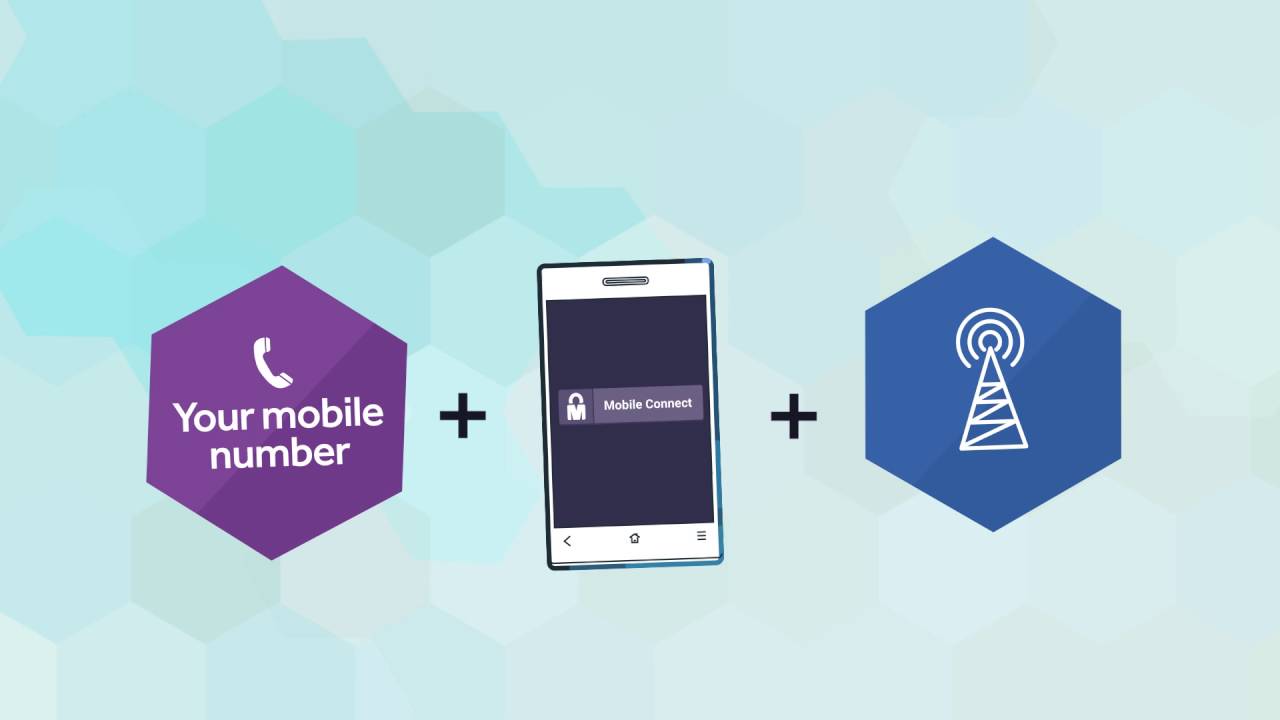
What is Mobile Connect?
Mobile Connect offers the ability to log in quickly, easily, and securely using your mobile phone eliminating the need for usernames or complex passwords.
How it works:
Press the Mobile Connect button on a participating website or application. Enter your mobile phone number. Input your Mobile Connect PIN on your device.
Features:
The PIN is consistent across all websites and applications. Securely stored and managed. Free to use.
Security:
The PIN is consistent across all websites and applications. Securely stored and managed. Free to use.

Sketch
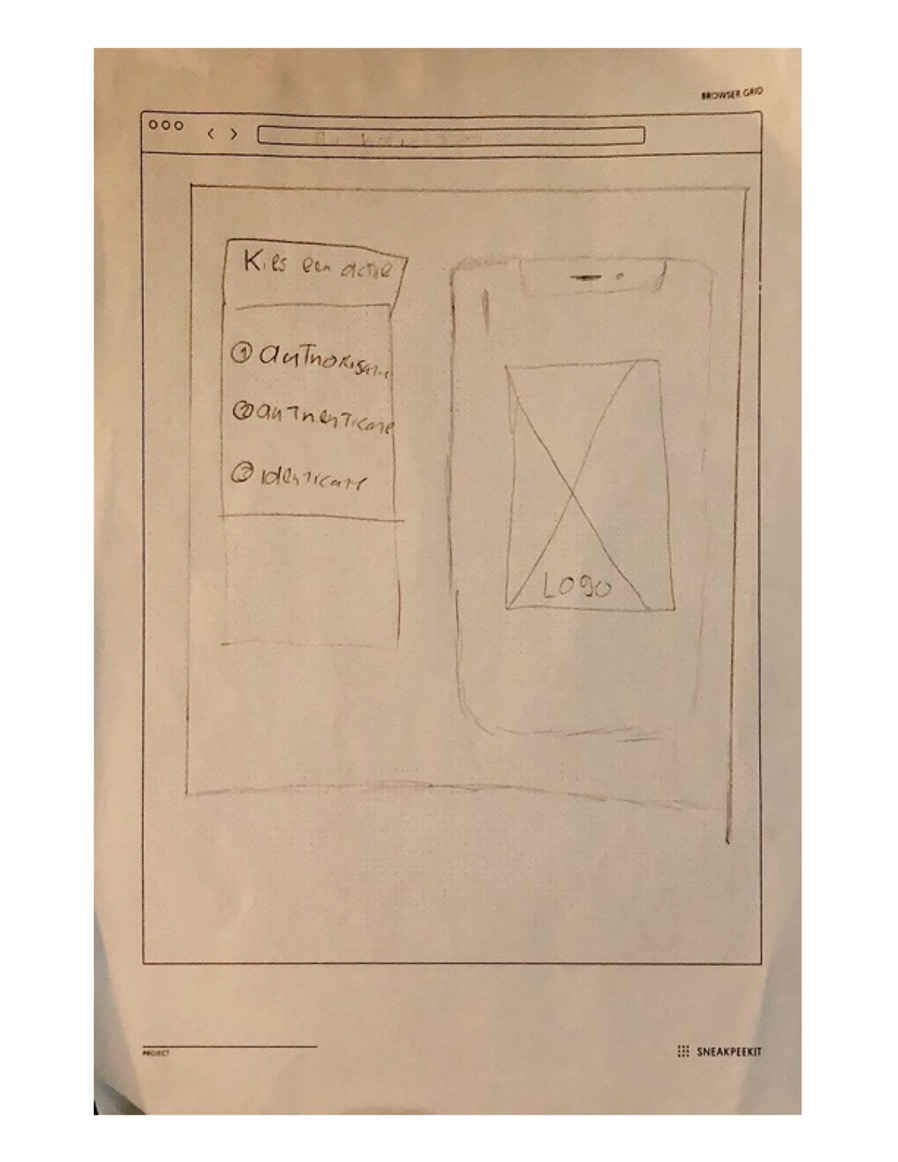
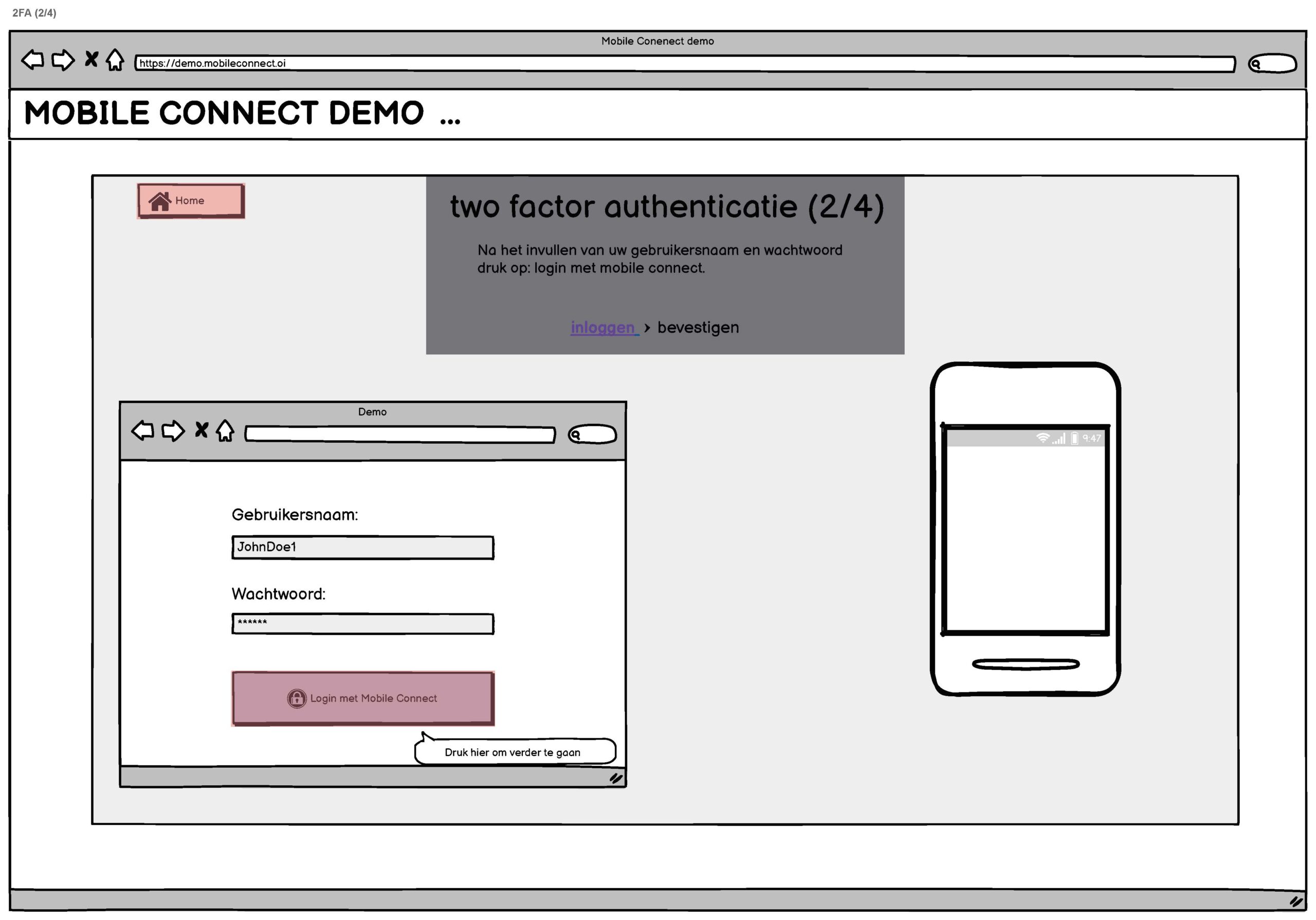
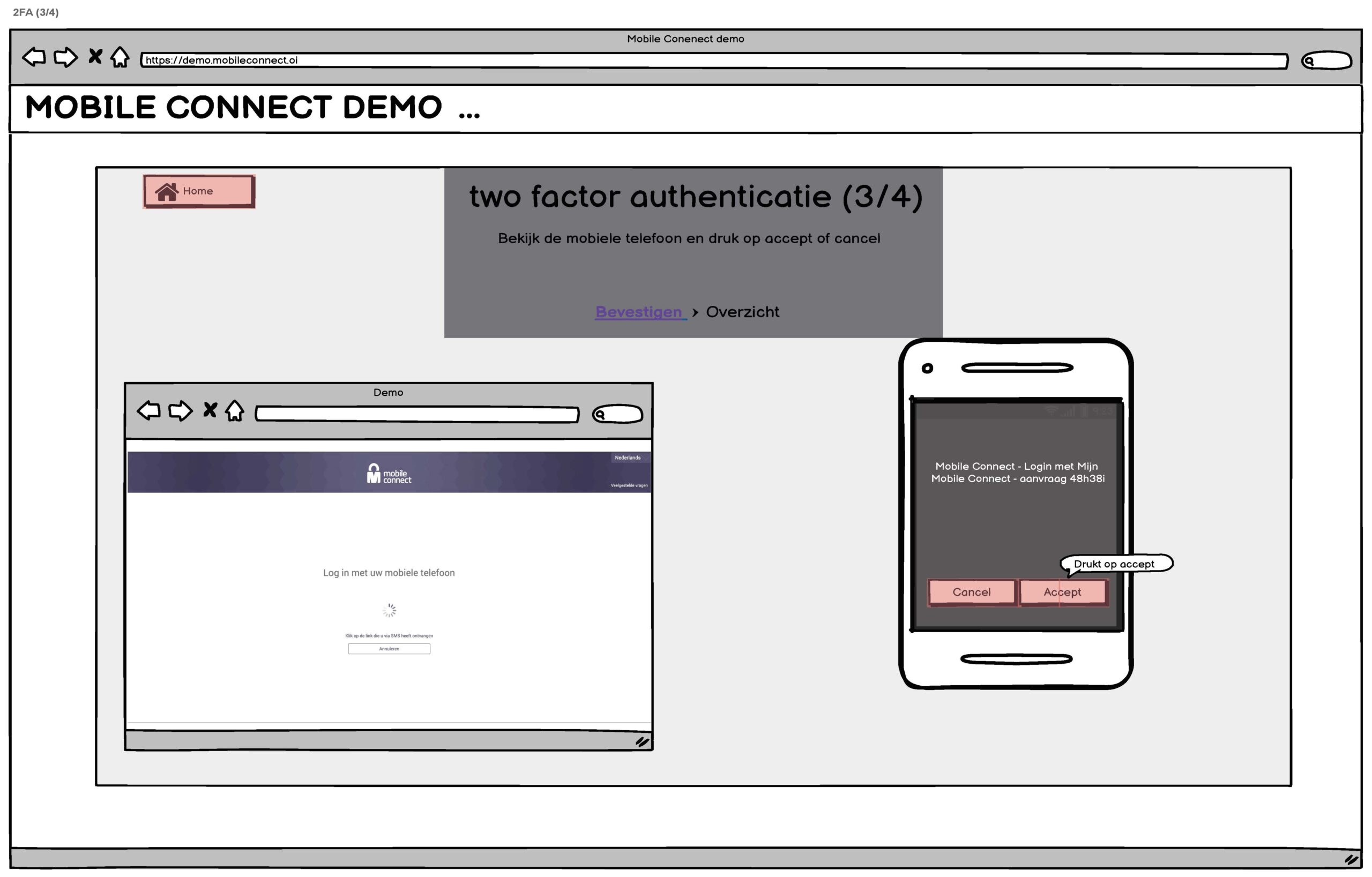
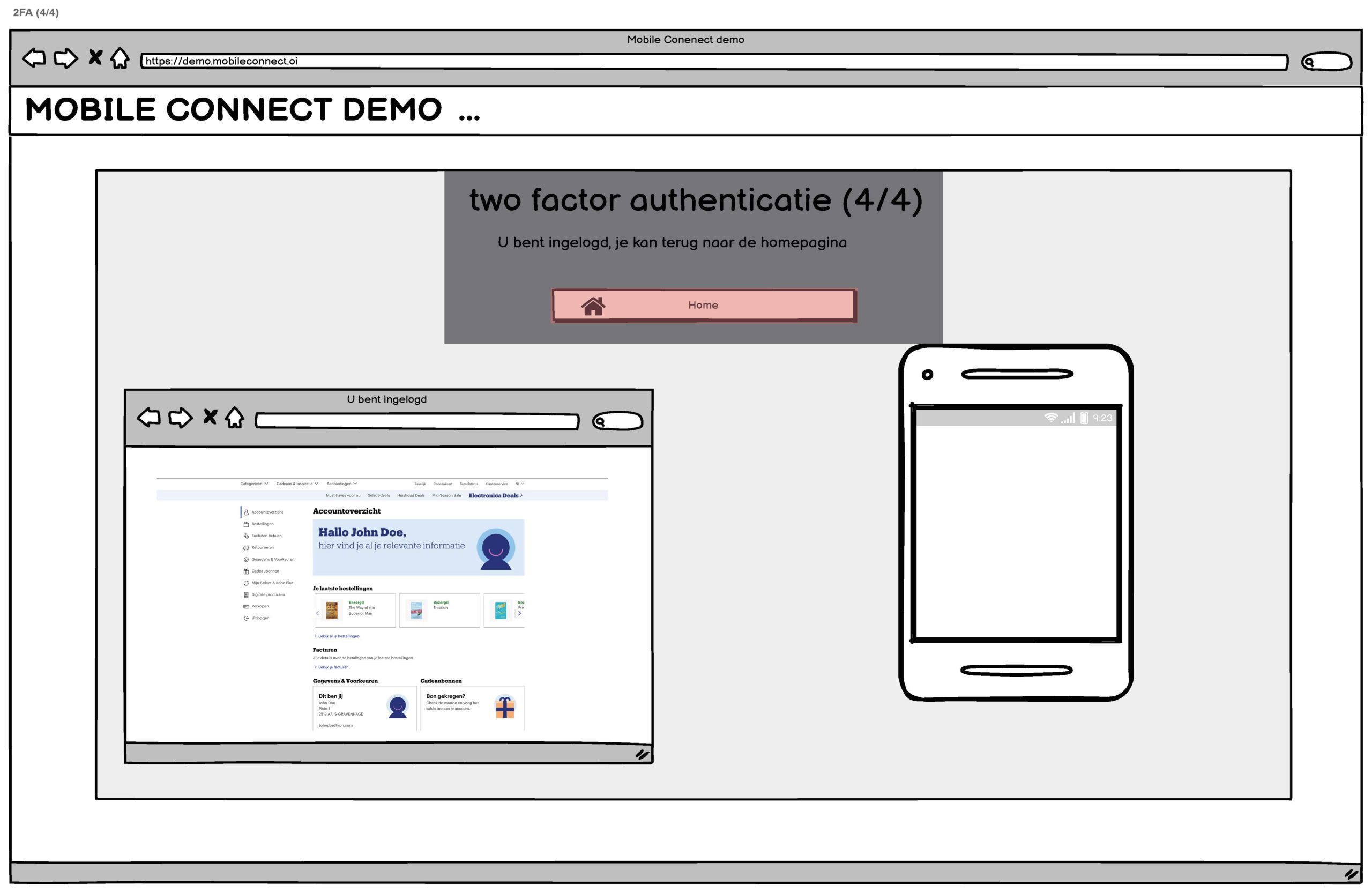
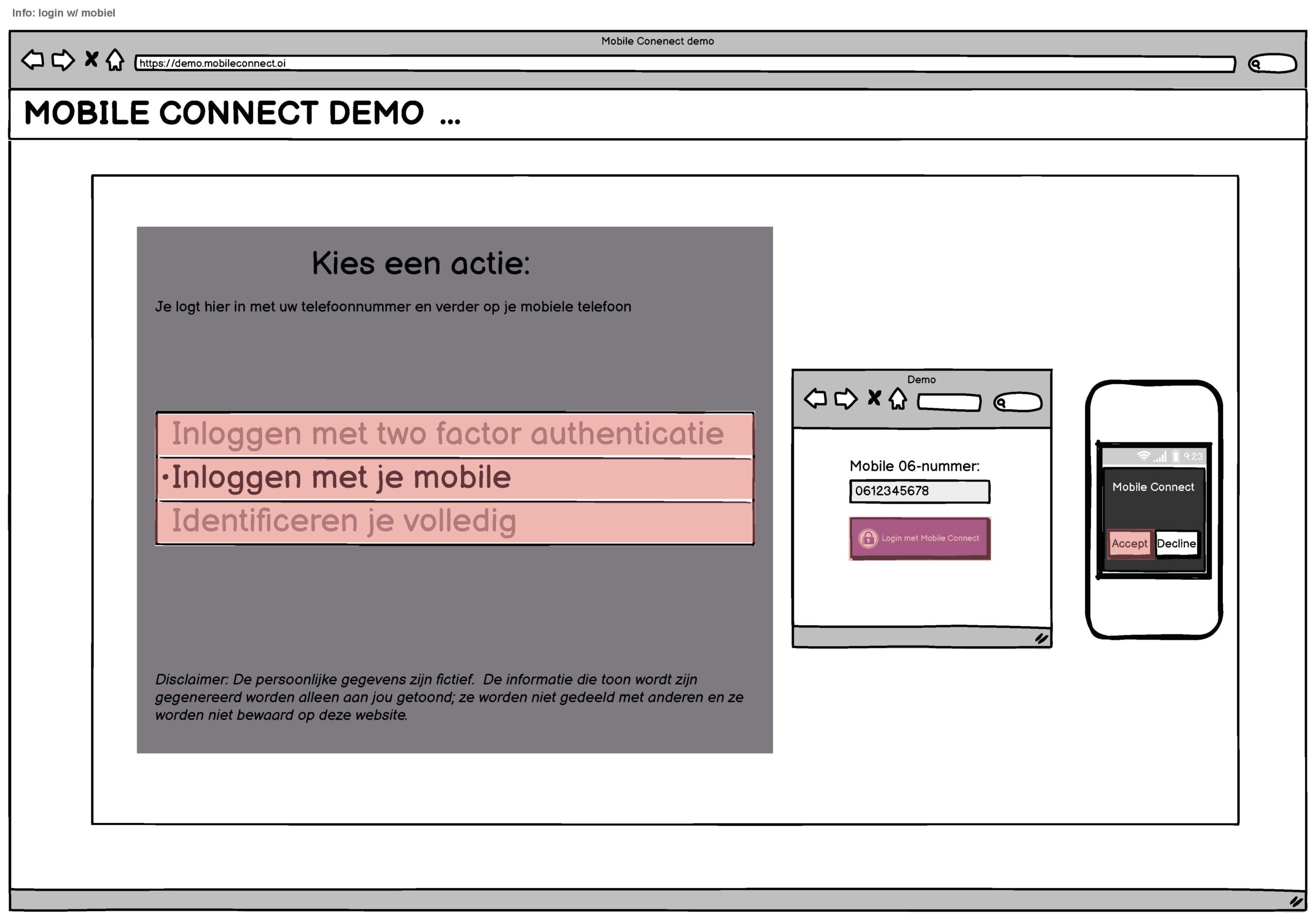
As a User Experience Design intern, my initial task was to create sketches to form a realistic blueprint for the wireframes. Understanding that the Mobile Connect service was only available for KPN customers, I focused on sketching the mobile phone interface rather than the interaction with the user's own device. I only needed to create one version of the sketches, as the feedback confirmed they were already on point.
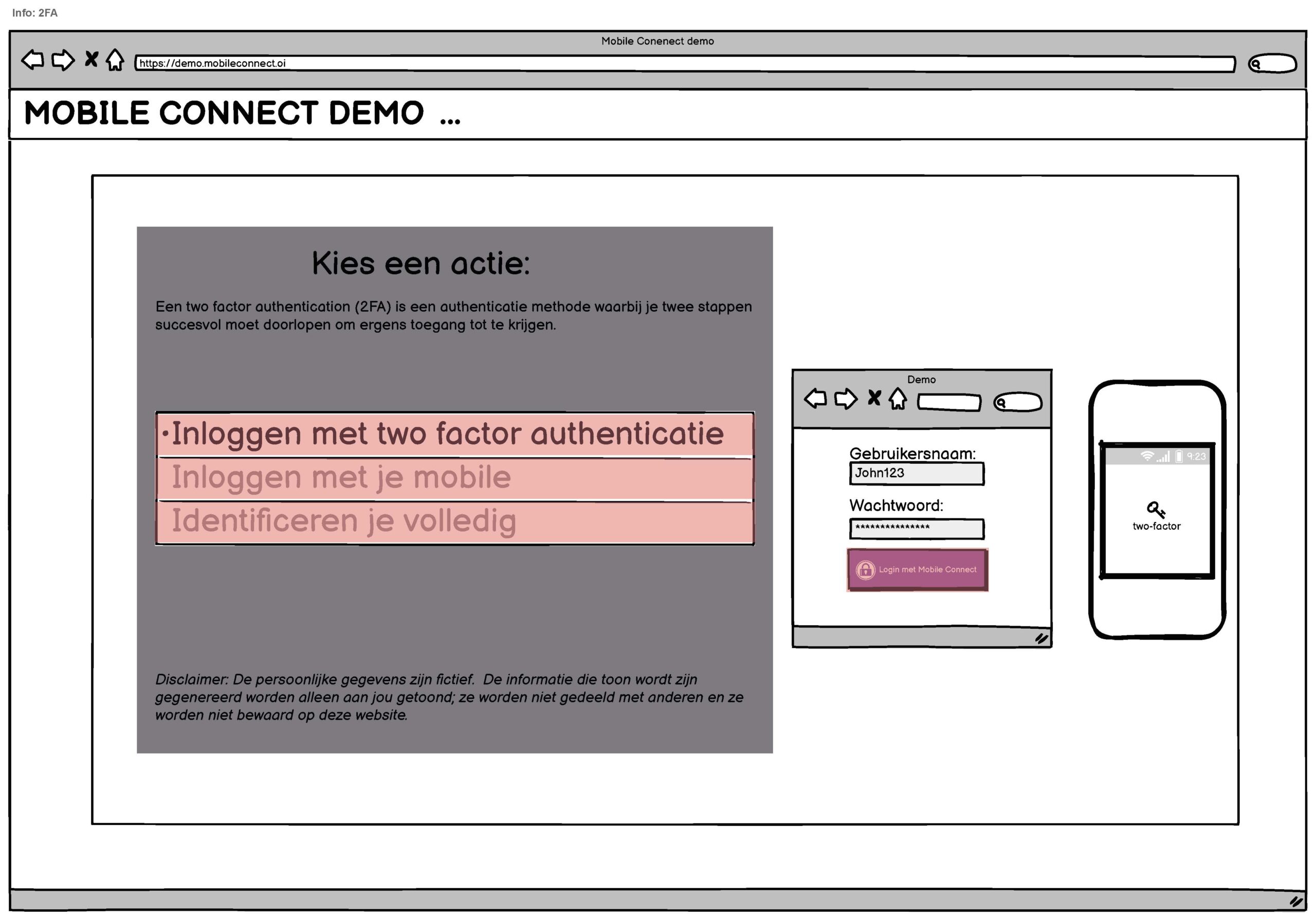
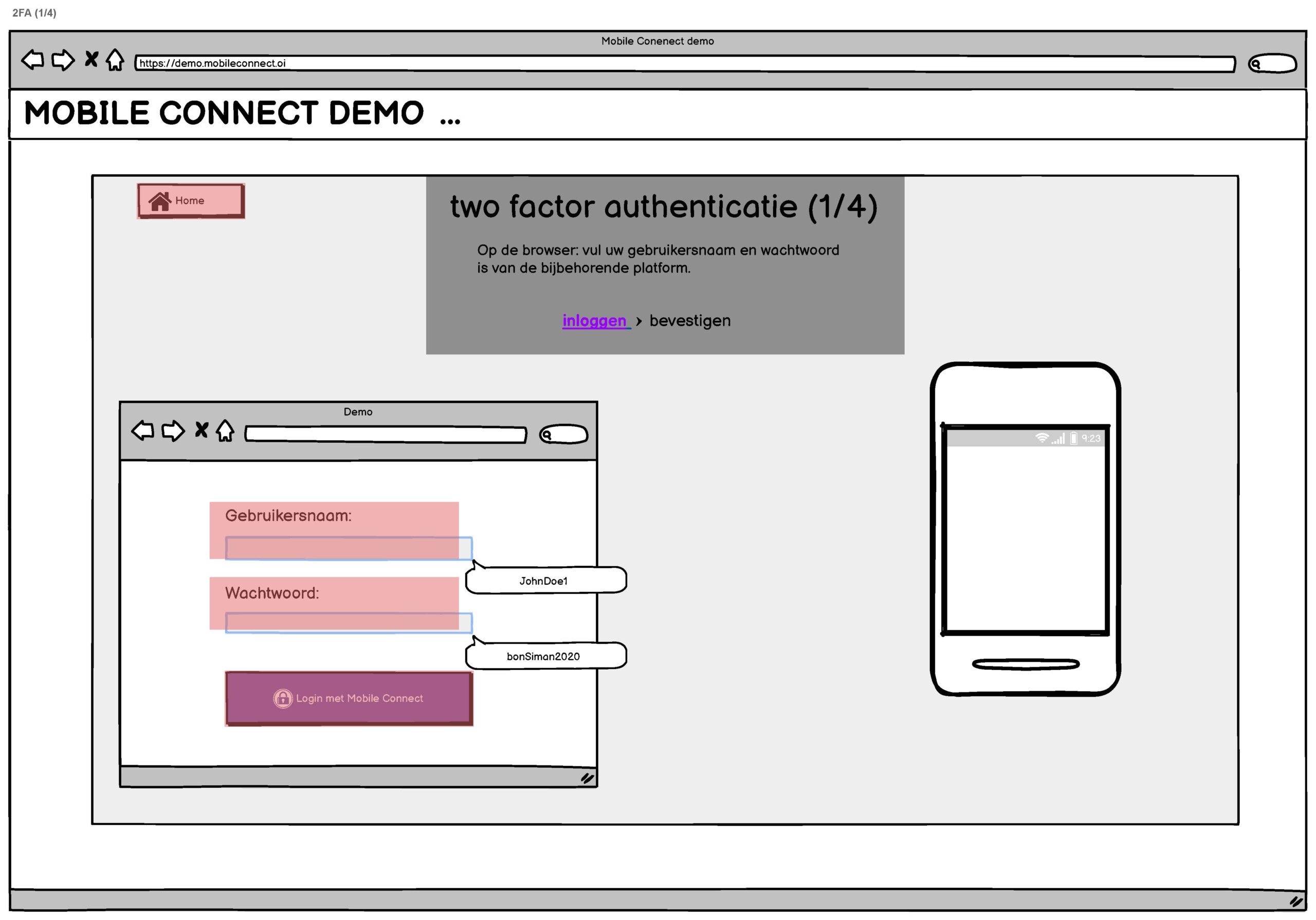
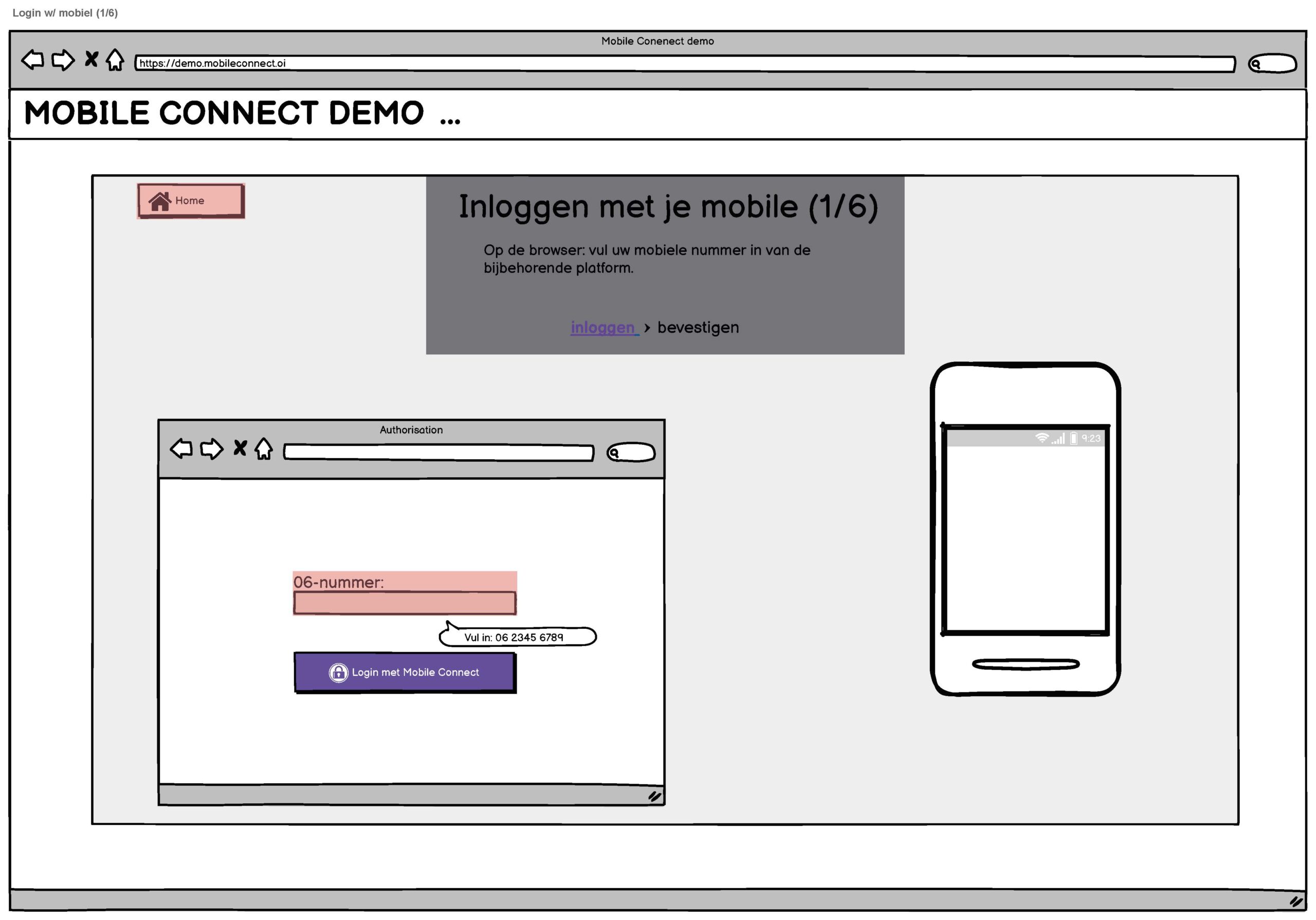
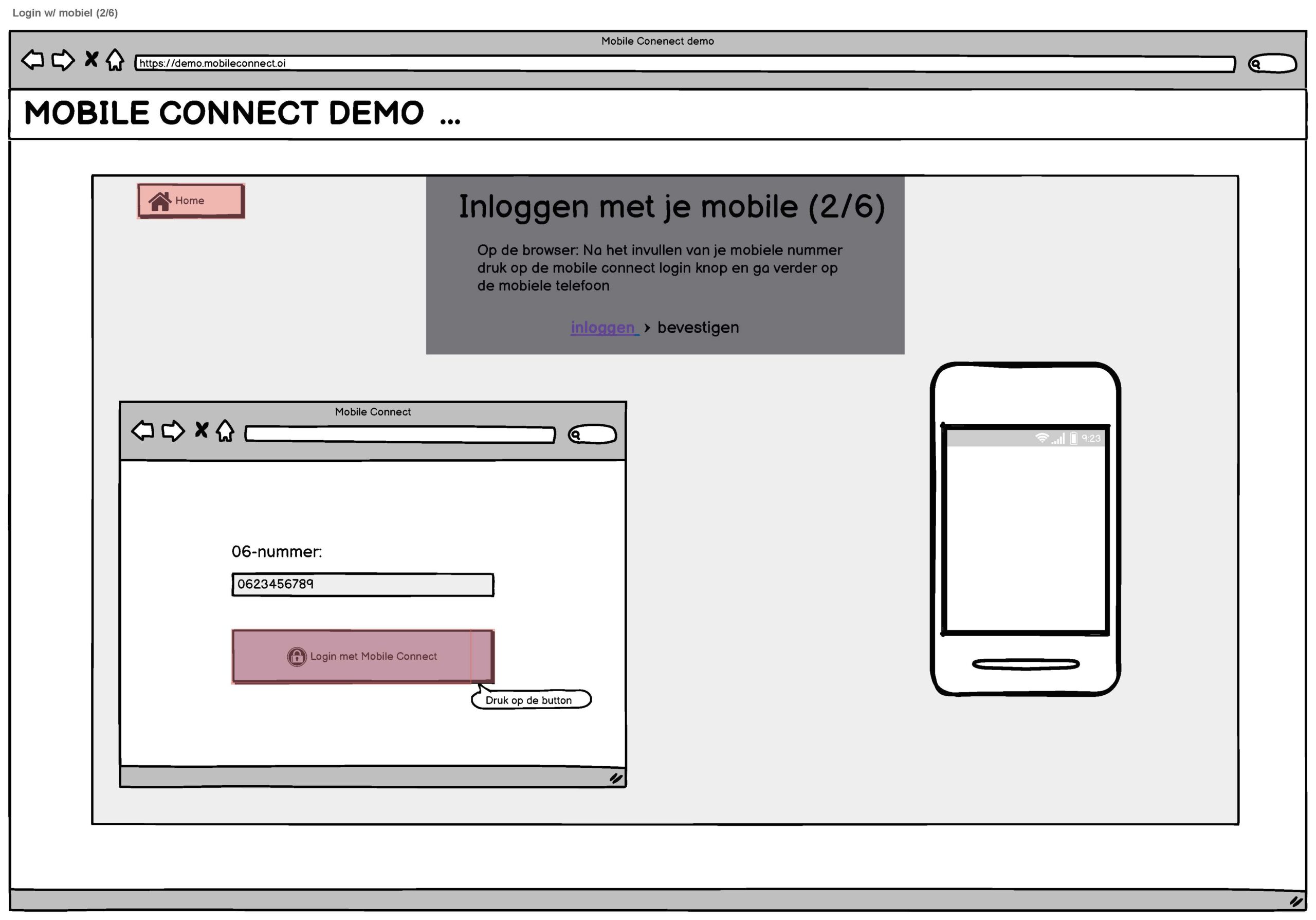
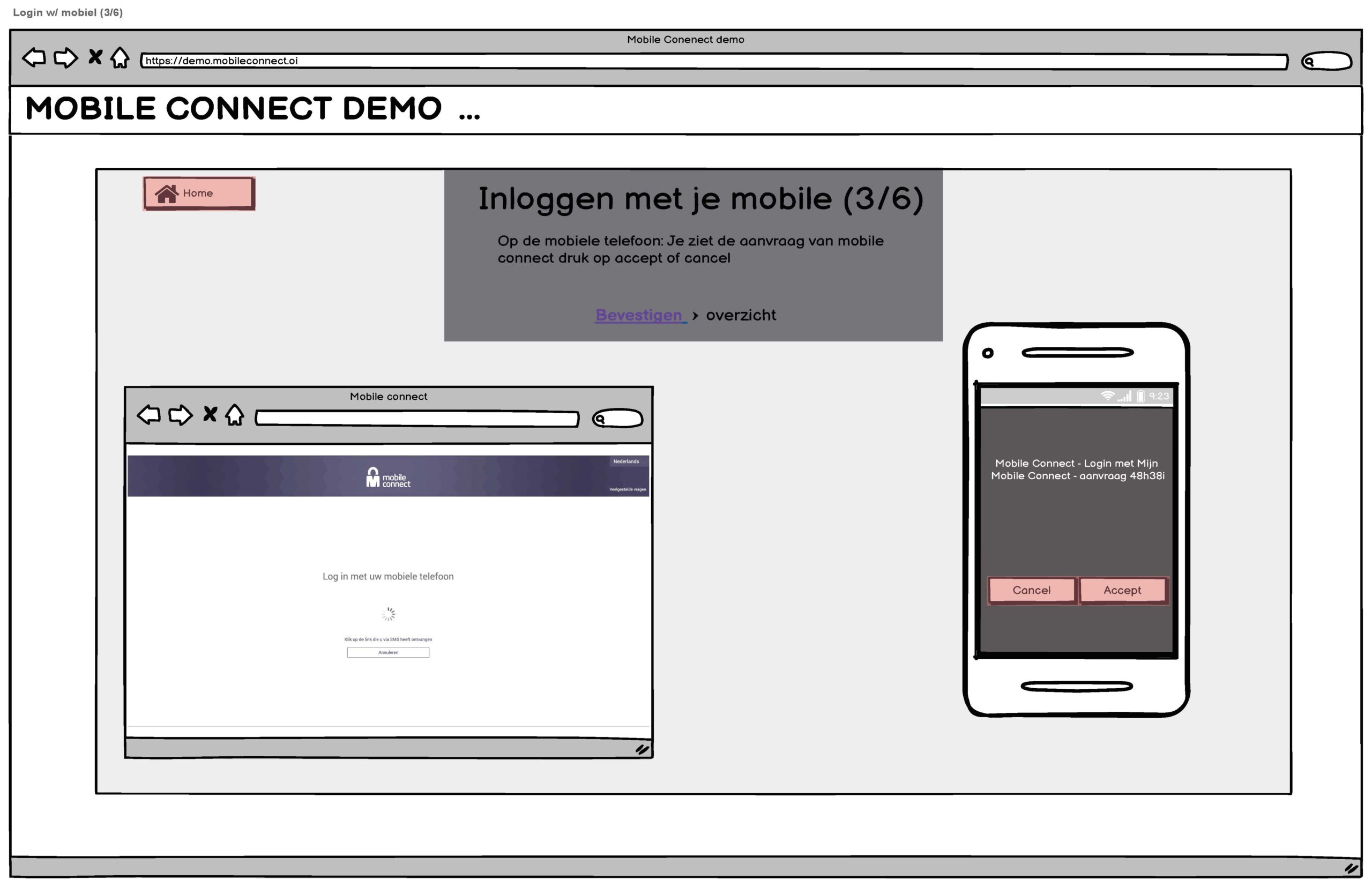
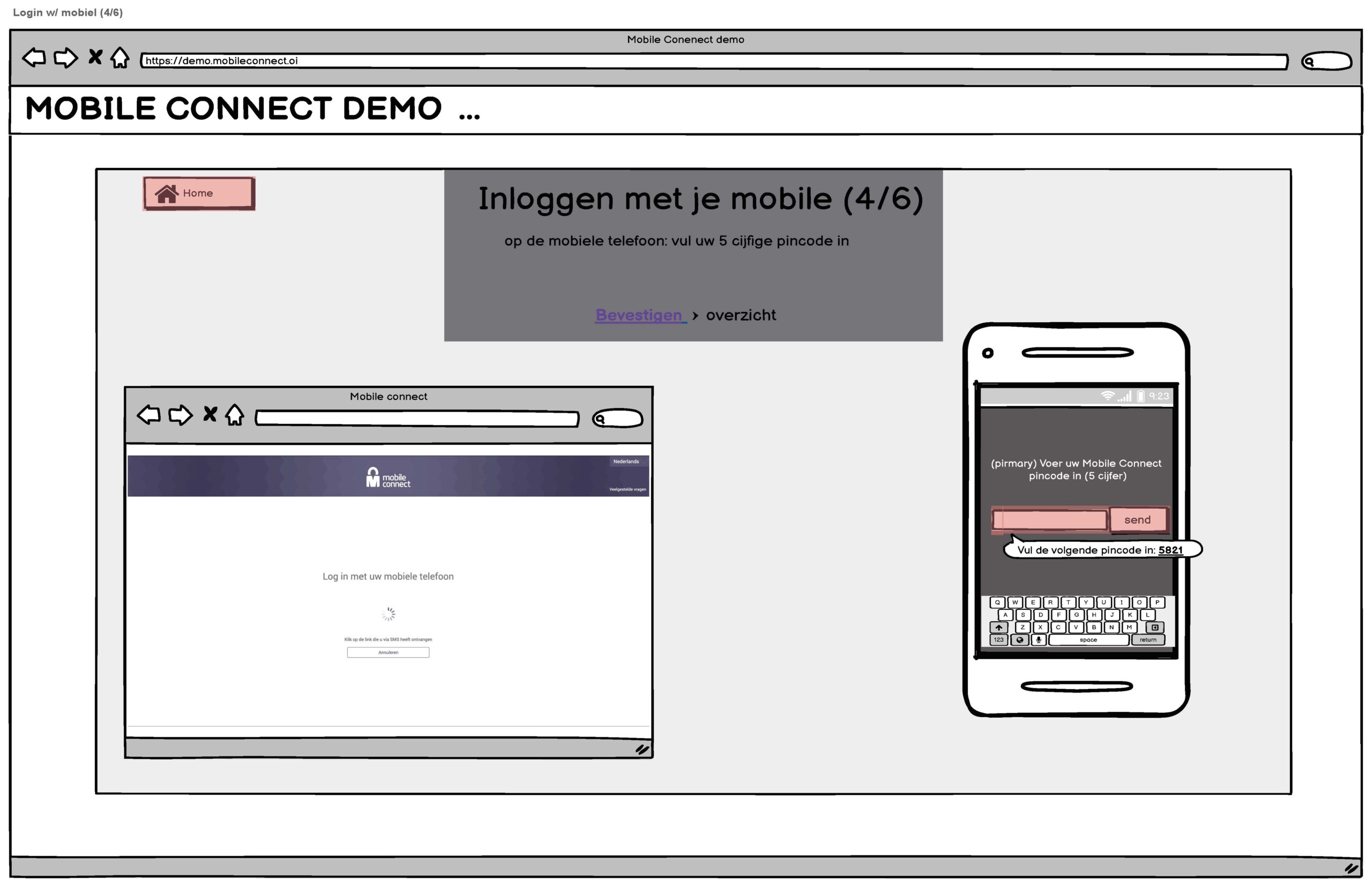
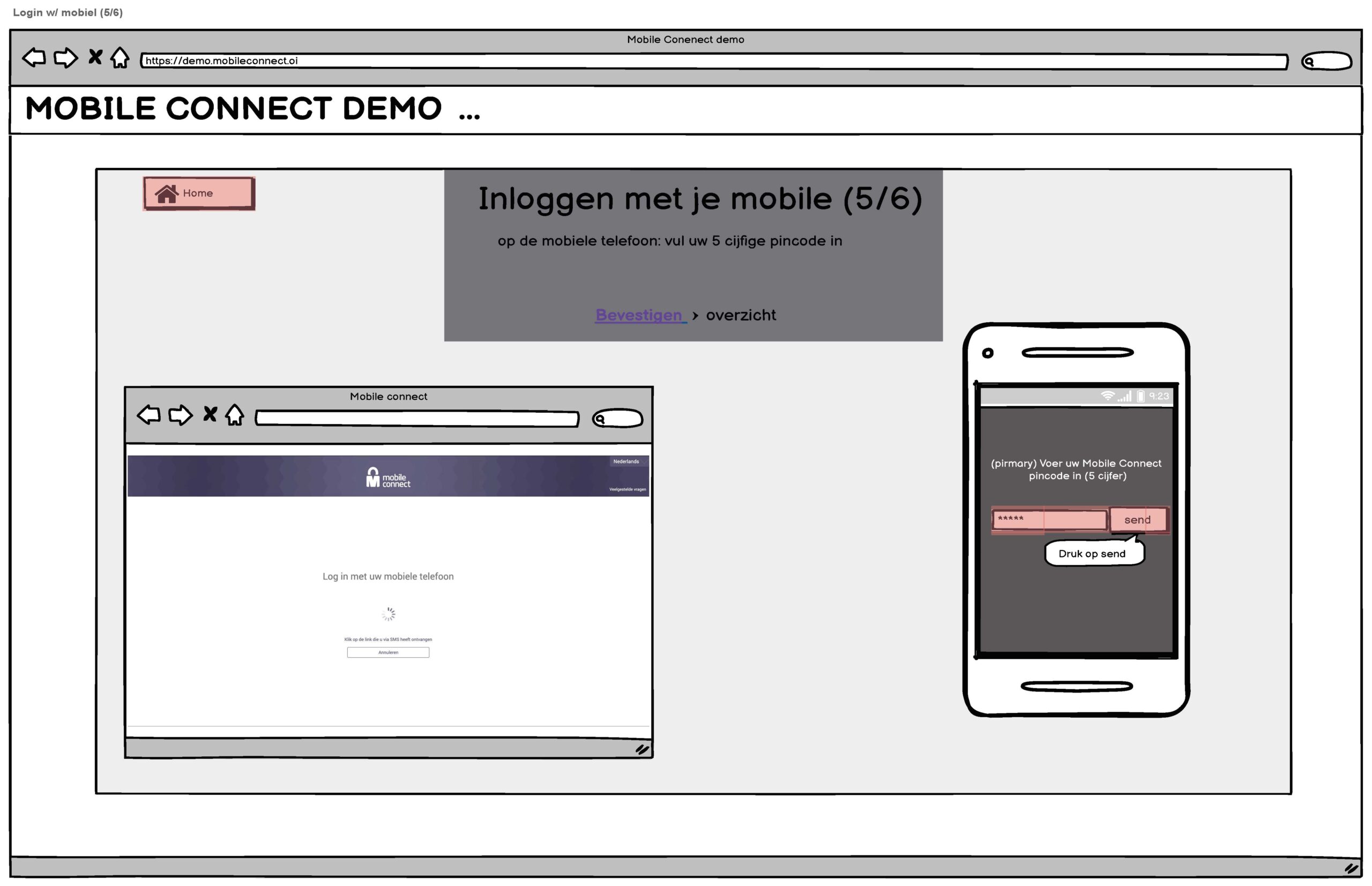
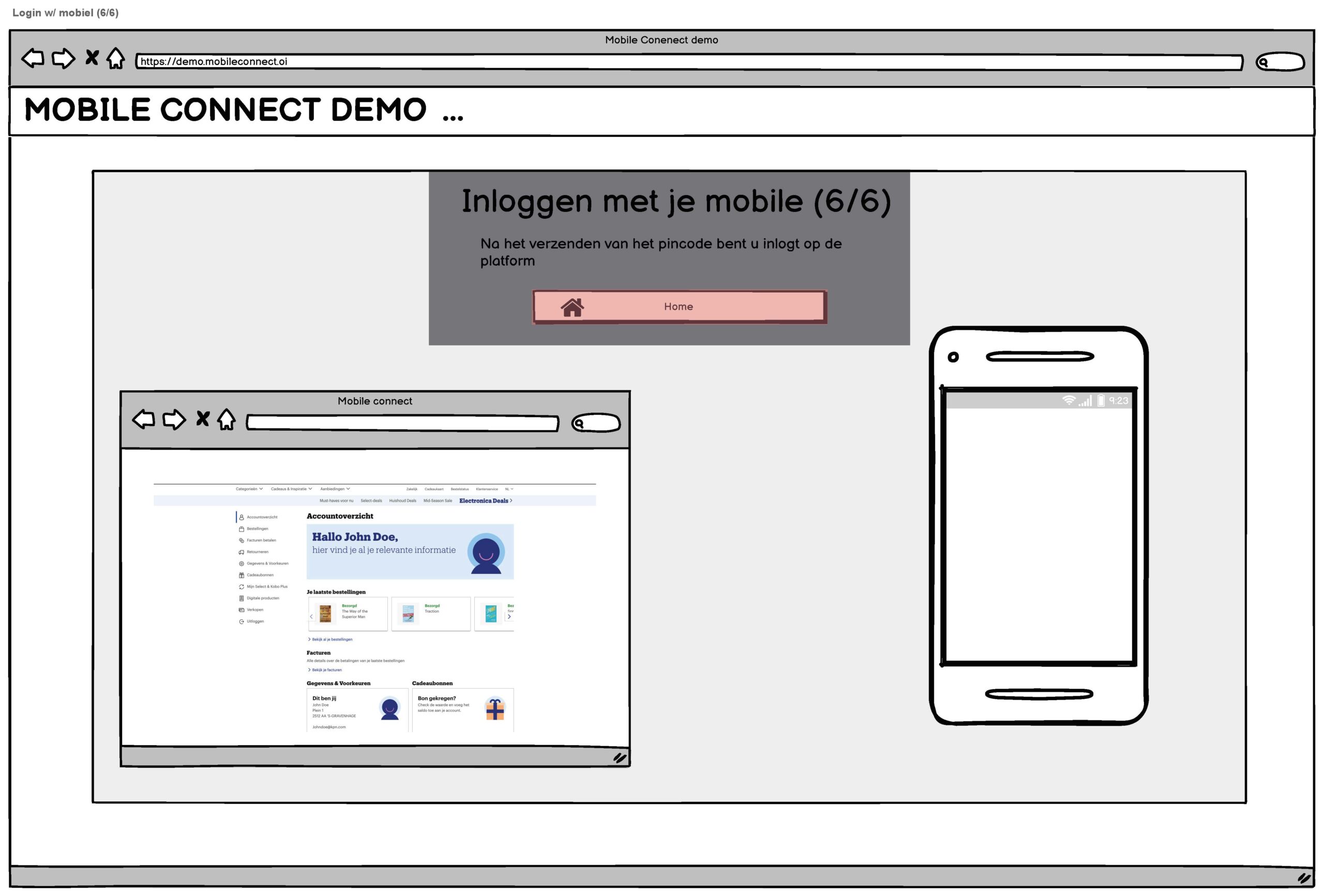
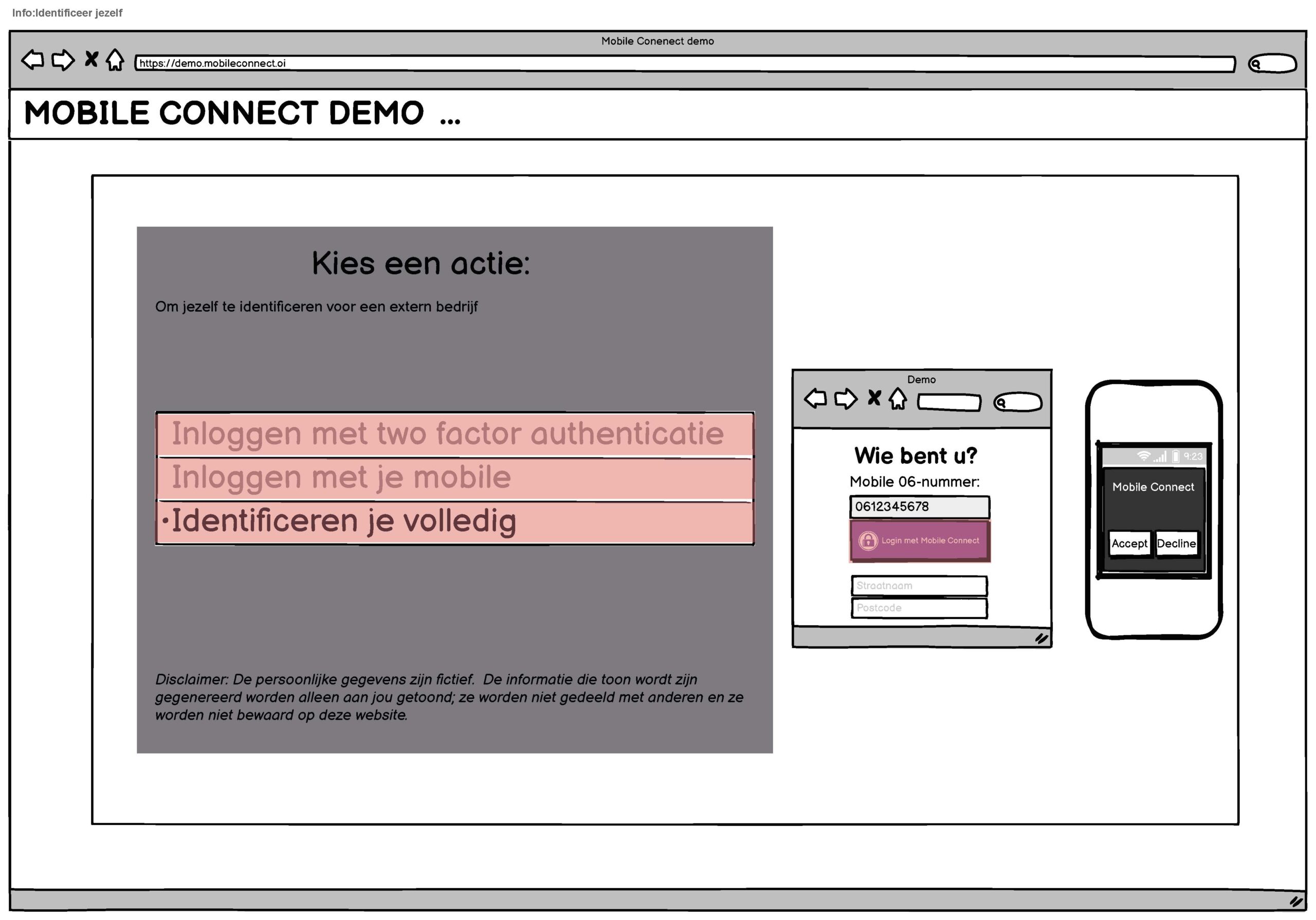
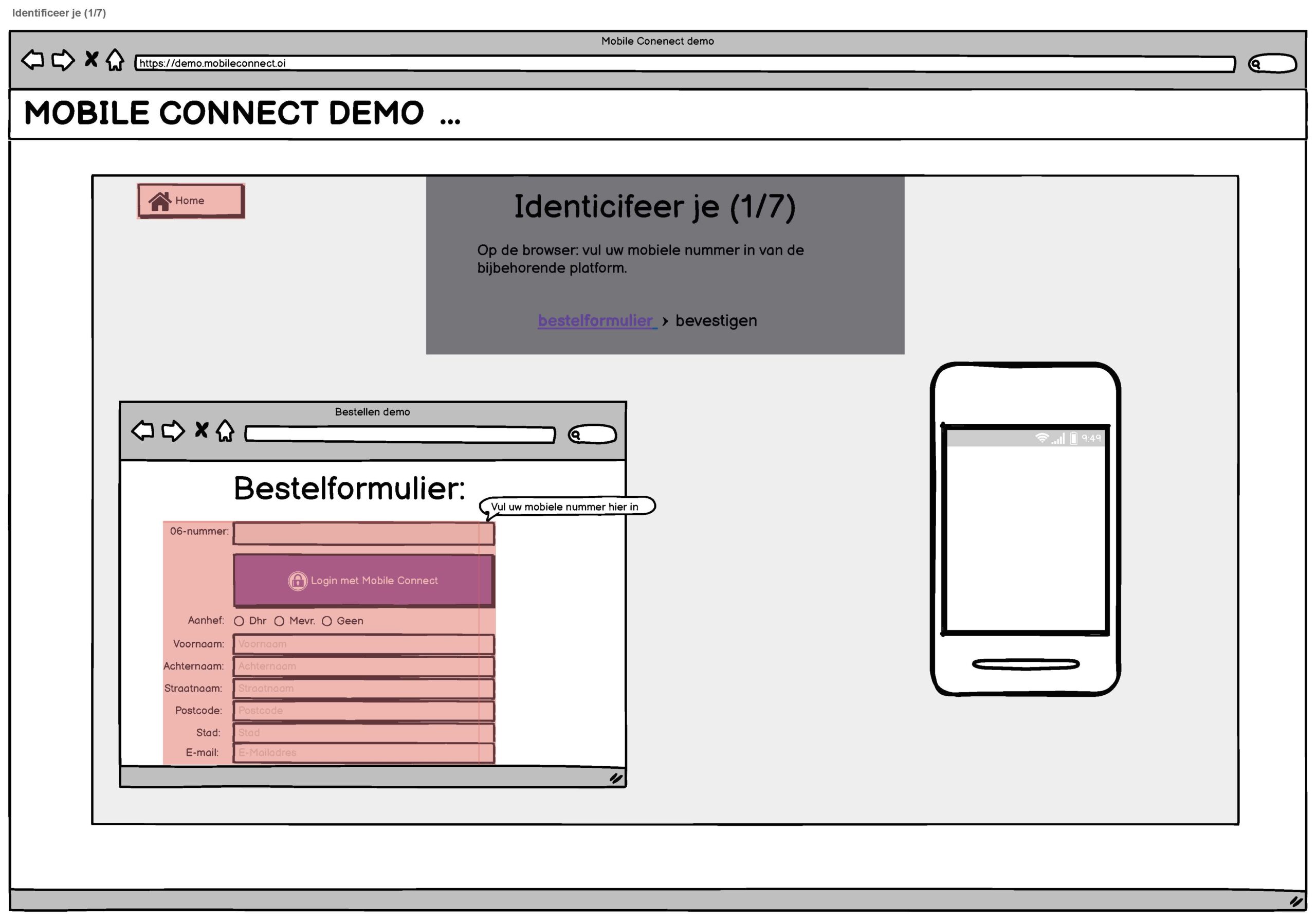
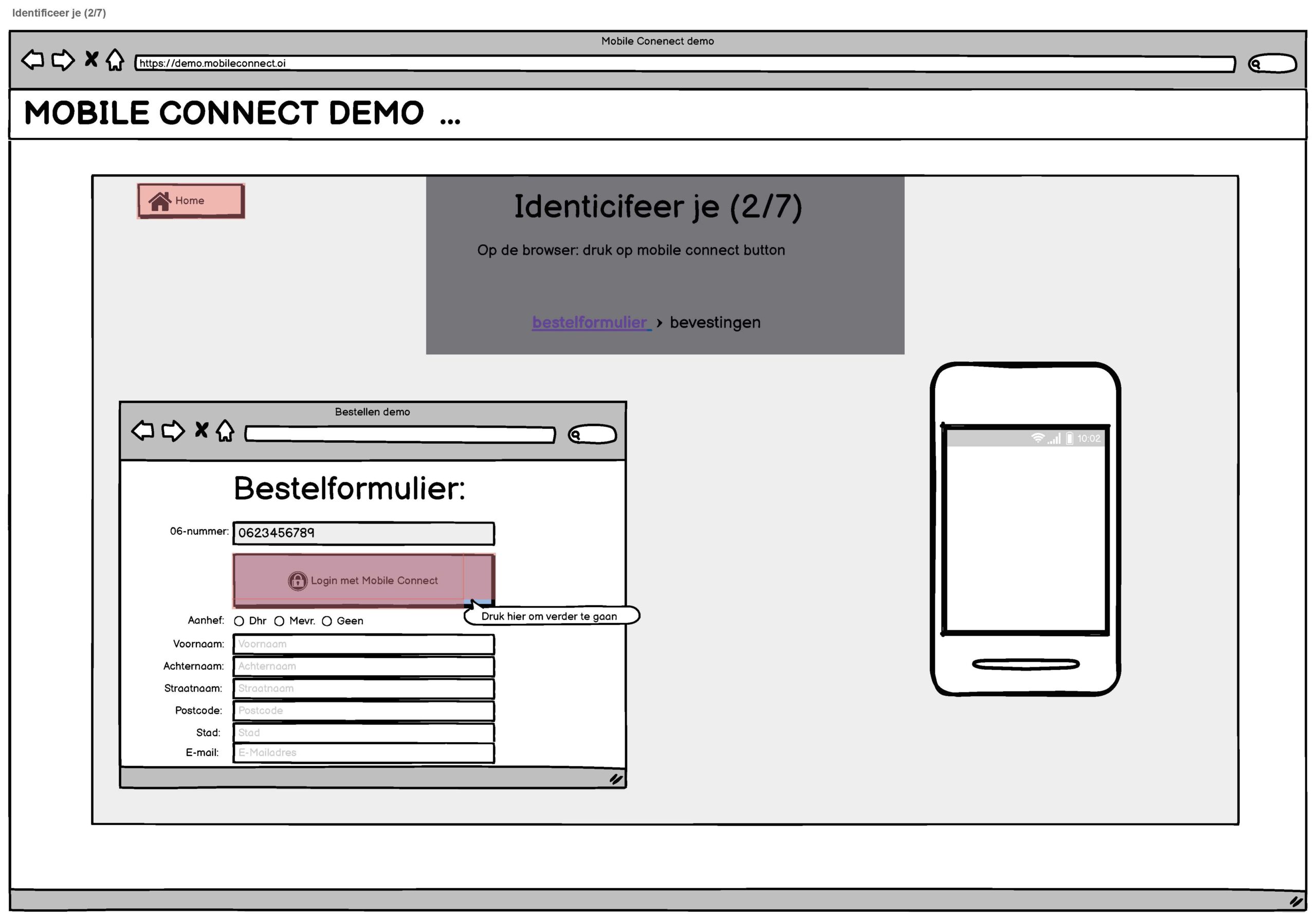
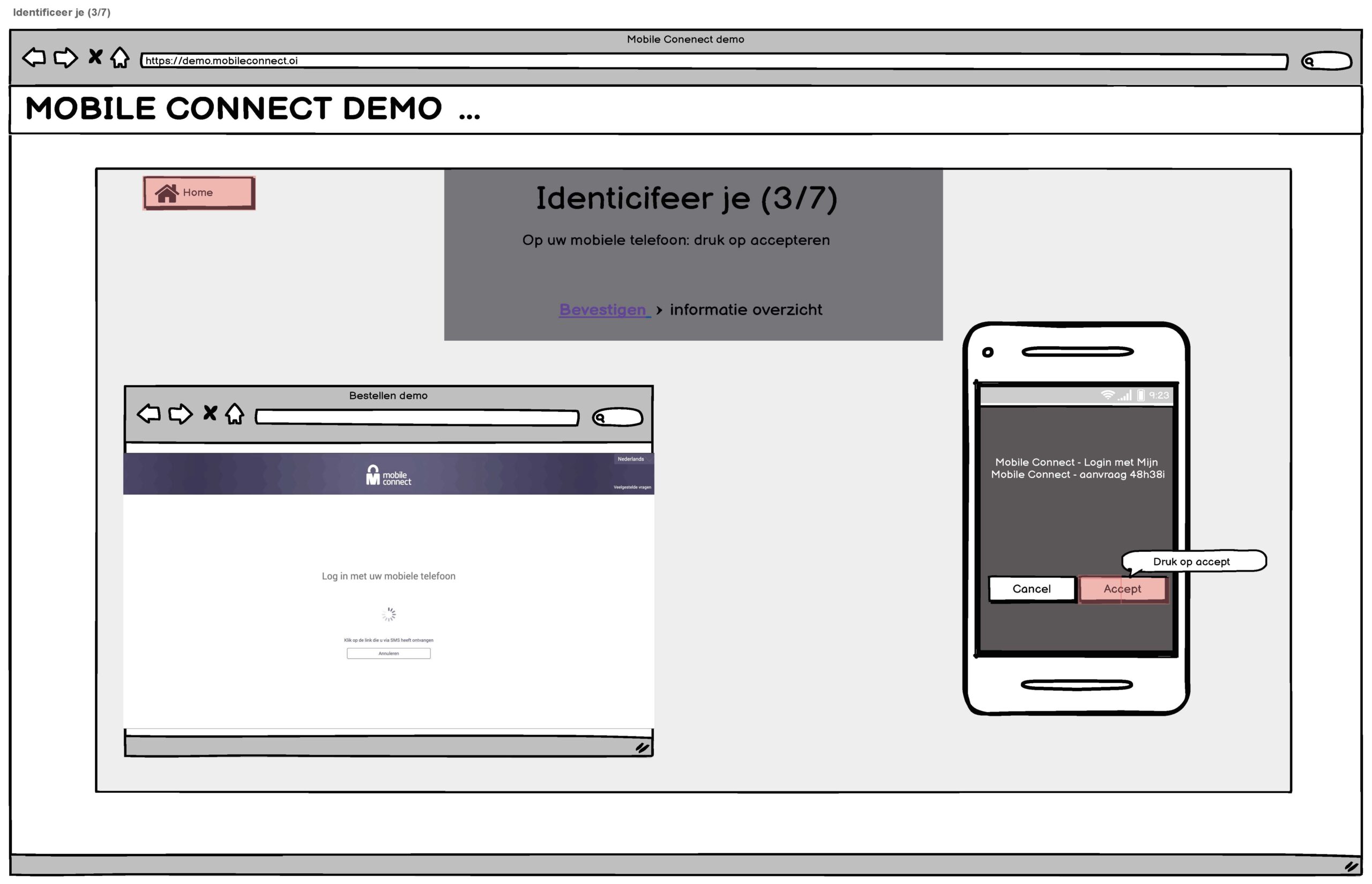
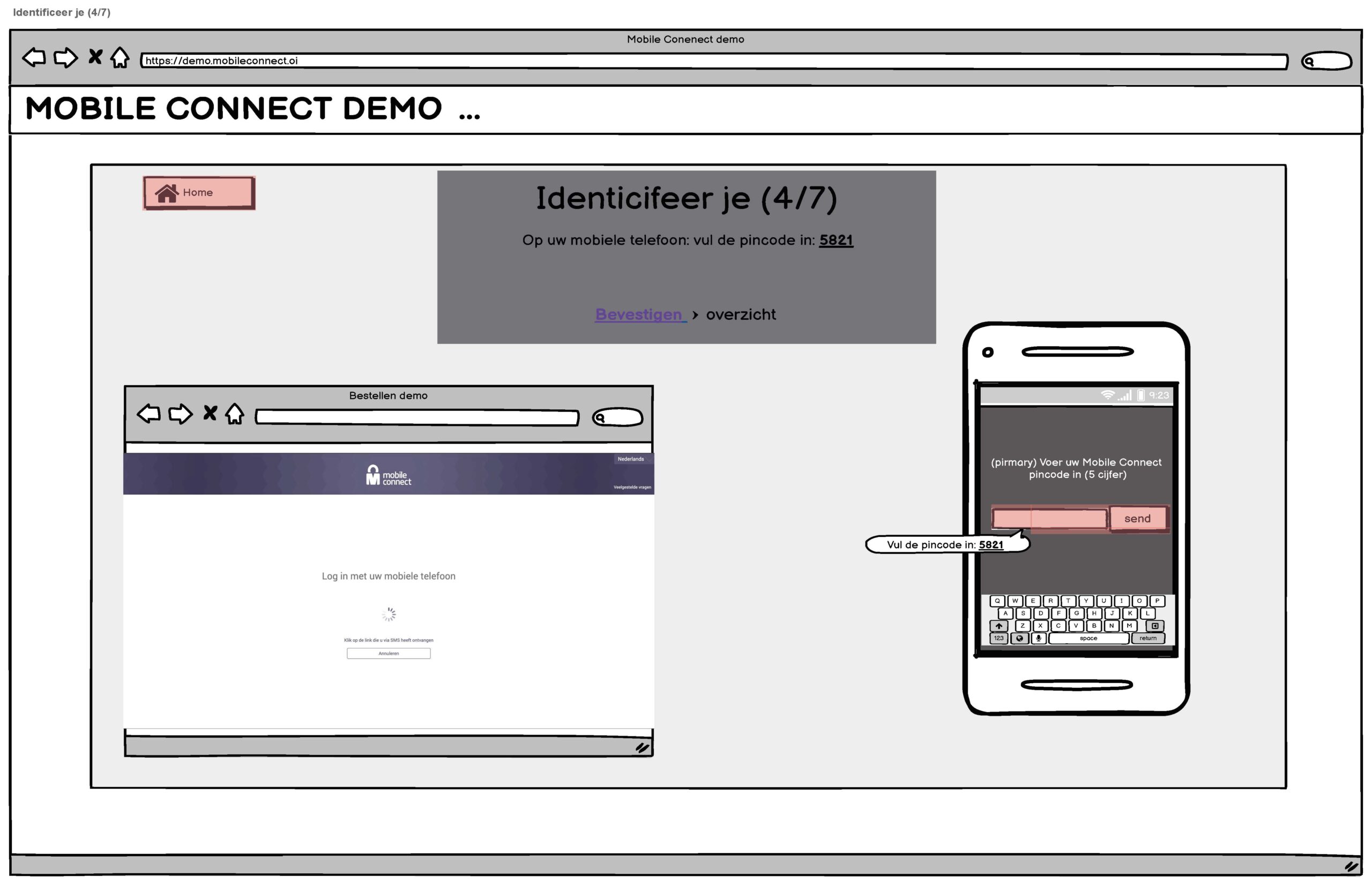

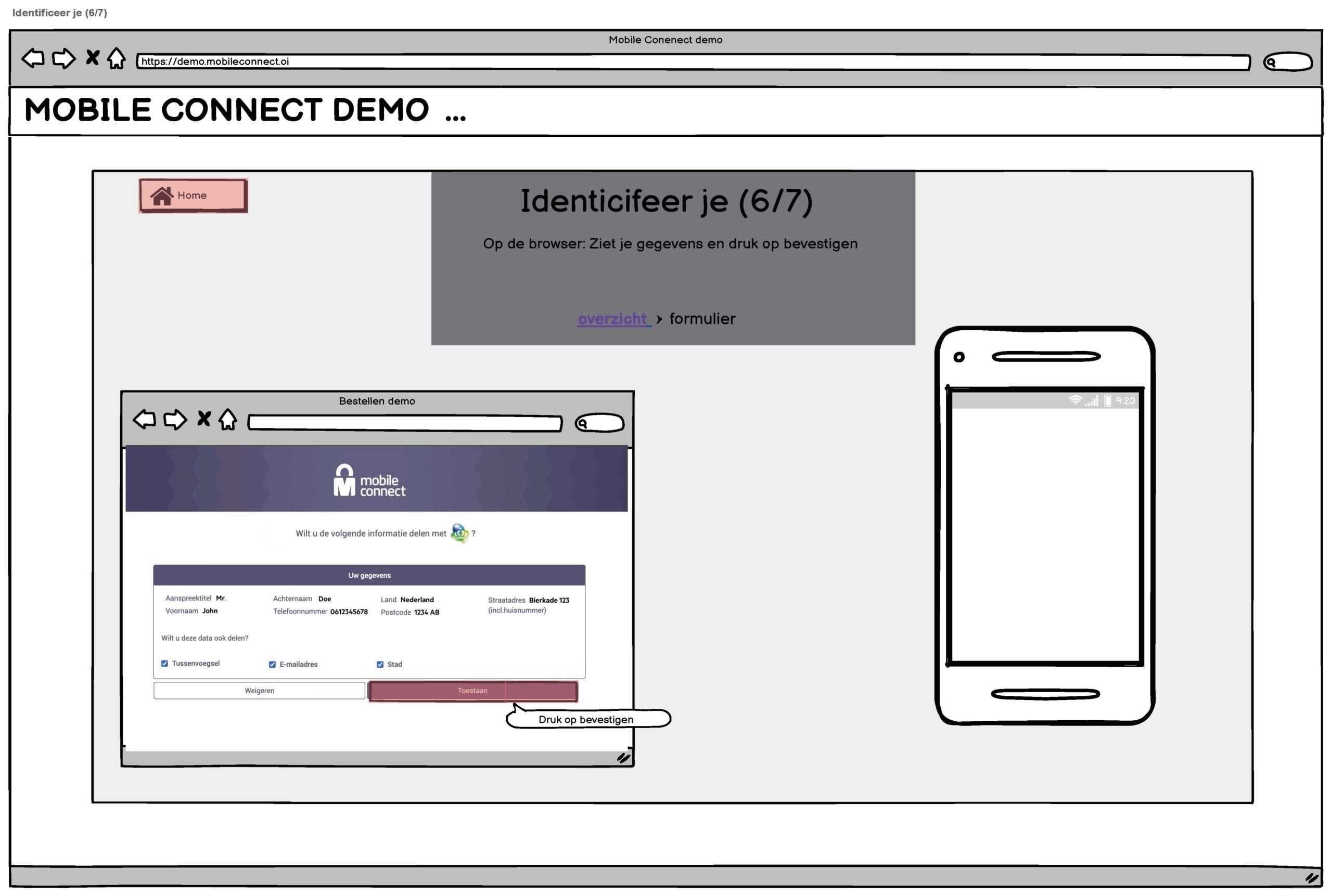
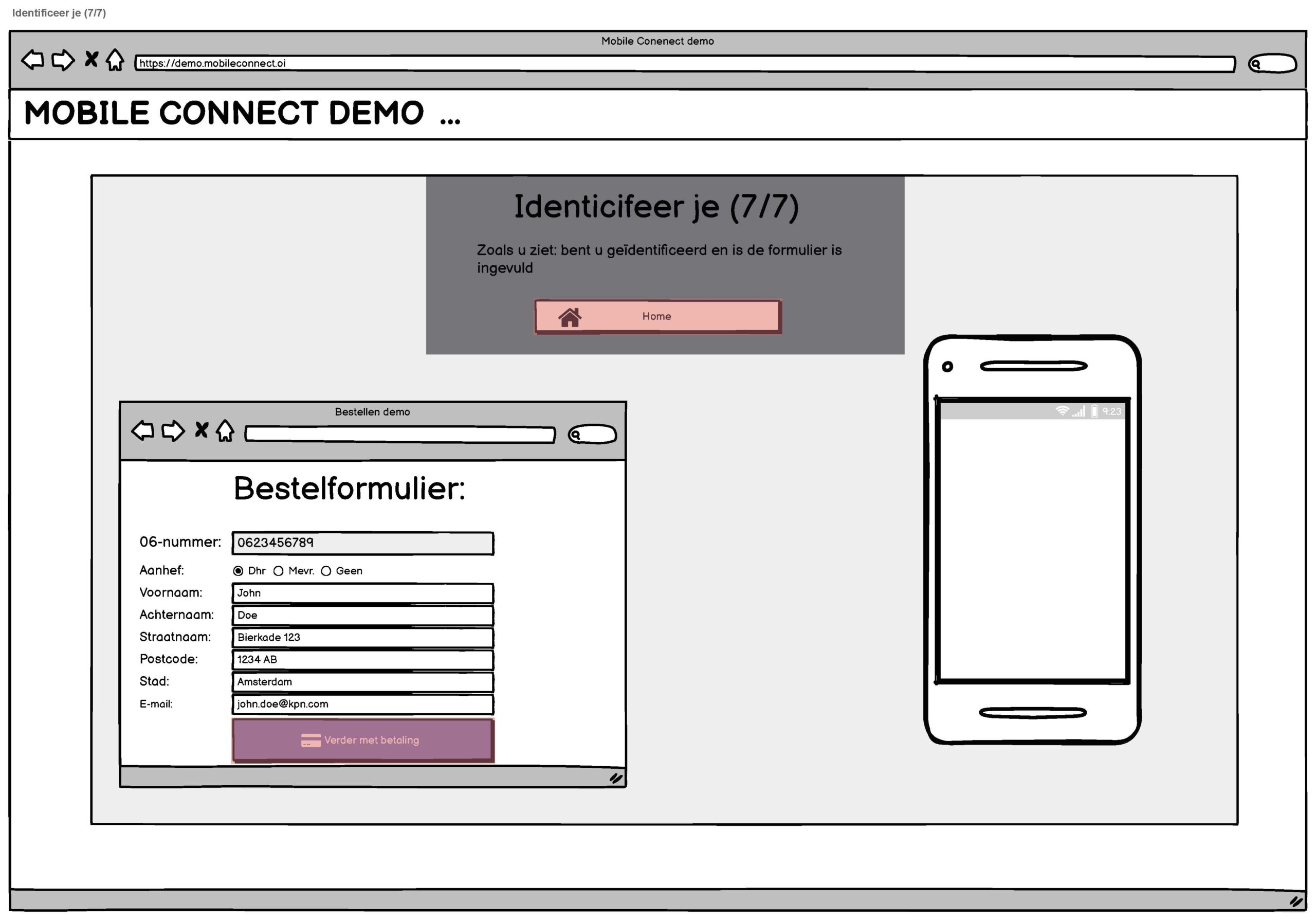
Wireframes
At the beginning of the design process, I developed low-fidelity wireframes using Balsamiq to effectively visualize the actions within the clickable demo. The demo included three primary actions: logging in with the website's username and password followed by confirmation via mobile phone as two-factor authentication; logging in with a PIN code; and identification using personal details, email, and mobile phone number. After receiving feedback, I refined the naming of the actions to improve clarity.
Hi-Fi Prototype
Reflection
What did you learn from this project?
In this project, I learned the importance of asking detailed questions to the business owner to thoroughly understand the service. I appreciated working as the sole UX designer on this project, which allowed me to take full creative ownership. My biggest challenge was adapting the brand style to the high-fidelity prototype. Initially, the design wasn’t entirely pixel-perfect, but after feedback from the developer, I learned how to effectively apply a design system to a new product. This experience was invaluable, and I even had the opportunity to collaborate with the design system team.
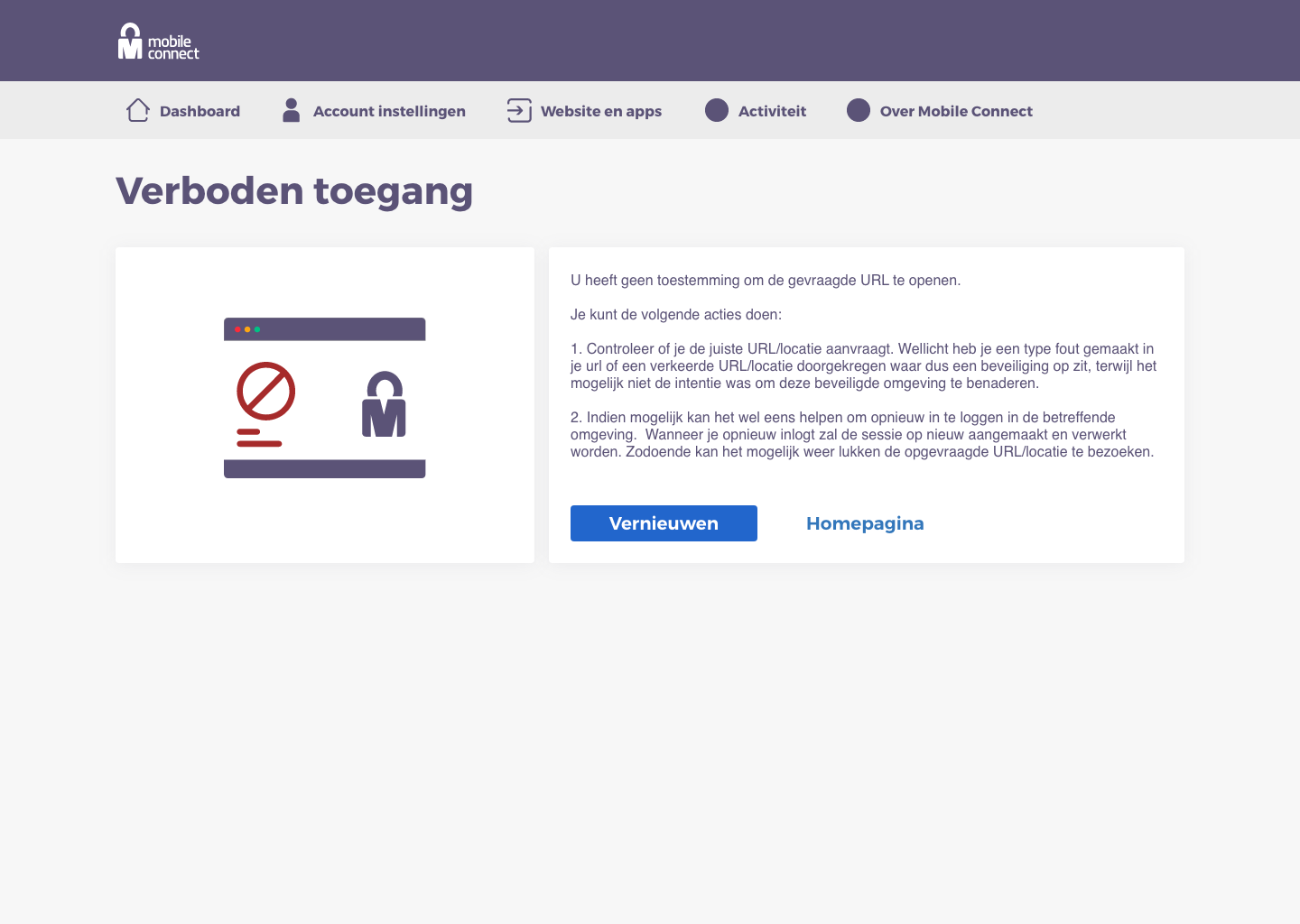
To deepen my understanding of the design system, I was assigned to design the error pages (404, 500, and 401) for Mobile Connect.
What's Next:
I proudly worked on the development of a clickable demo for Mobile Connect, which I successfully completed and handed over to the KPN Business division. It’s important to note that the KPN Open Innovation Hub was discontinued during the final two months of my contract. Despite this challenge, I am excited about the possibility of my work being utilized in practice, and I hope that the Mobile Connect demo will prove valuable to the KPN Business division in their decision-making process regarding its potential implementation.
Selected Works
Mobile connectKoninklijke KPN
Physitrack for teensBasalt
©2025 HENRY BARIMA